
Use case · Contract review
See what changed between every draft of a contract.
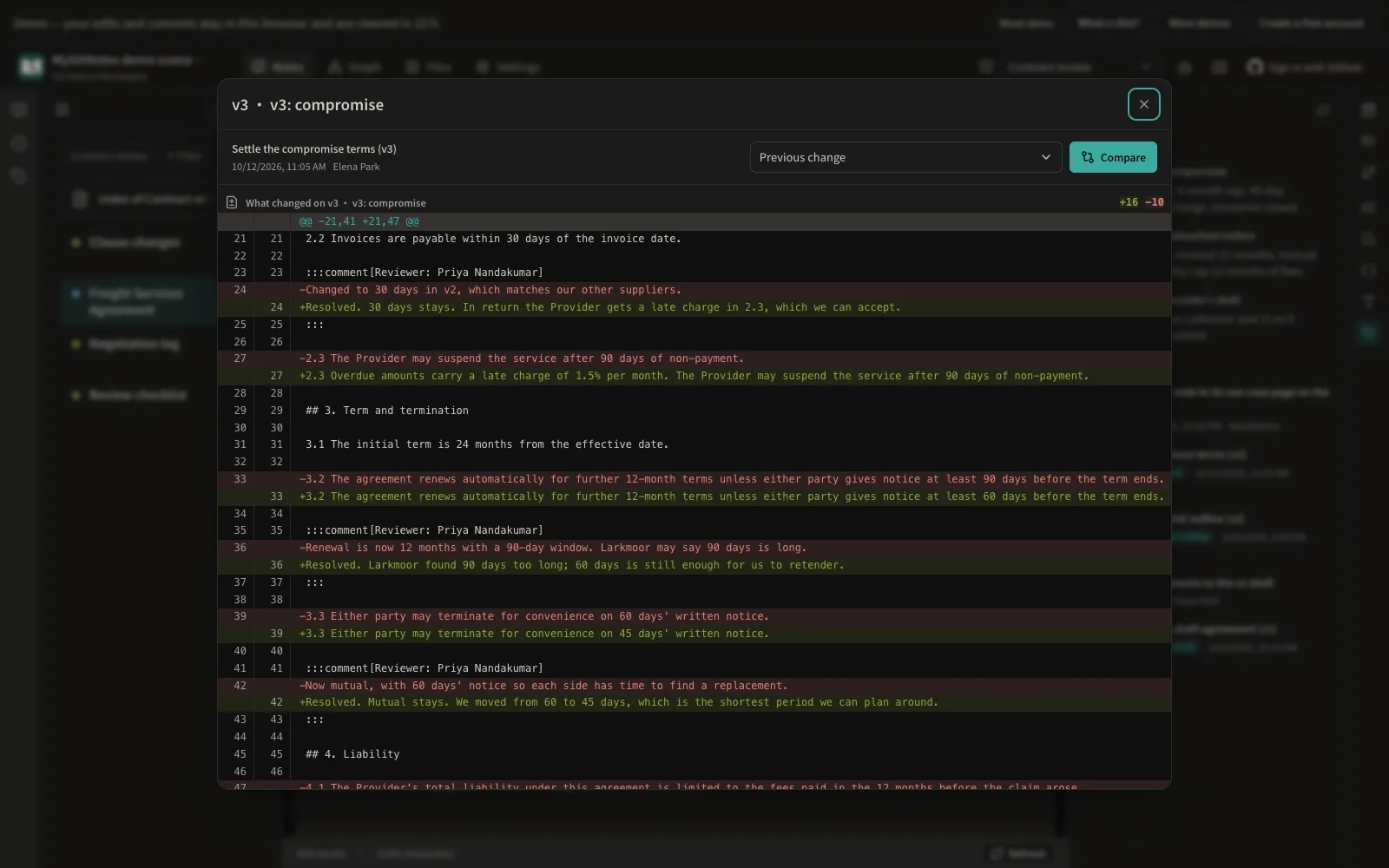
Save each draft as a named version, compare any two clause by clause, and go back to an earlier one whenever you need to. Reviewer remarks sit beside the clause they explain, so nobody has to guess why it changed.
No sign-in needed. Changes you make in the example stay in your browser and are cleared after 24 hours.

Try it in the example
Open the history
Open the contract and look in its history for the named versions v1, v2 and v3, each with a note on what changed and why.
Compare, or go back
Pick a version, choose Compare, then pick another for a clause-by-clause comparison. You can restore an earlier one too.
Read the reviewer’s remarks
Boxes titled Reviewer say why a clause changed and which remarks are still open.
Using it for your company’s contracts and policies? Version control for legal documents
Open the example and try it
No sign-in needed. Changes you make in the example stay in your browser and are cleared after 24 hours.
More use cases
Tabletop RPG
Lay out your session prep like a table, and track clues on a board.
Daily journal
Daily notes with dated tasks, and a weekly review you read as one page.
Study
Lecture notes with maths, flashcards and a map of the ideas.
Reading notes
Quotations with translations, a bibliography and linked arguments.
Writing a book
An outline and chapters that read as a book.
Product spec
A spec on a board, with diagrams and an AI assistant.
Teaching
A lesson laid out as slides, with its plan and worksheet beside it.
Design project
A design project from brief to handoff, with feedback pinned on the image.
Portfolio
Case studies, a picture series and an about page, ready to publish.
Project management
A release plan with owners, milestones, a Gantt chart and a risk register.