
Use case · Writing a book
Write a book as notes, and read it as a book.
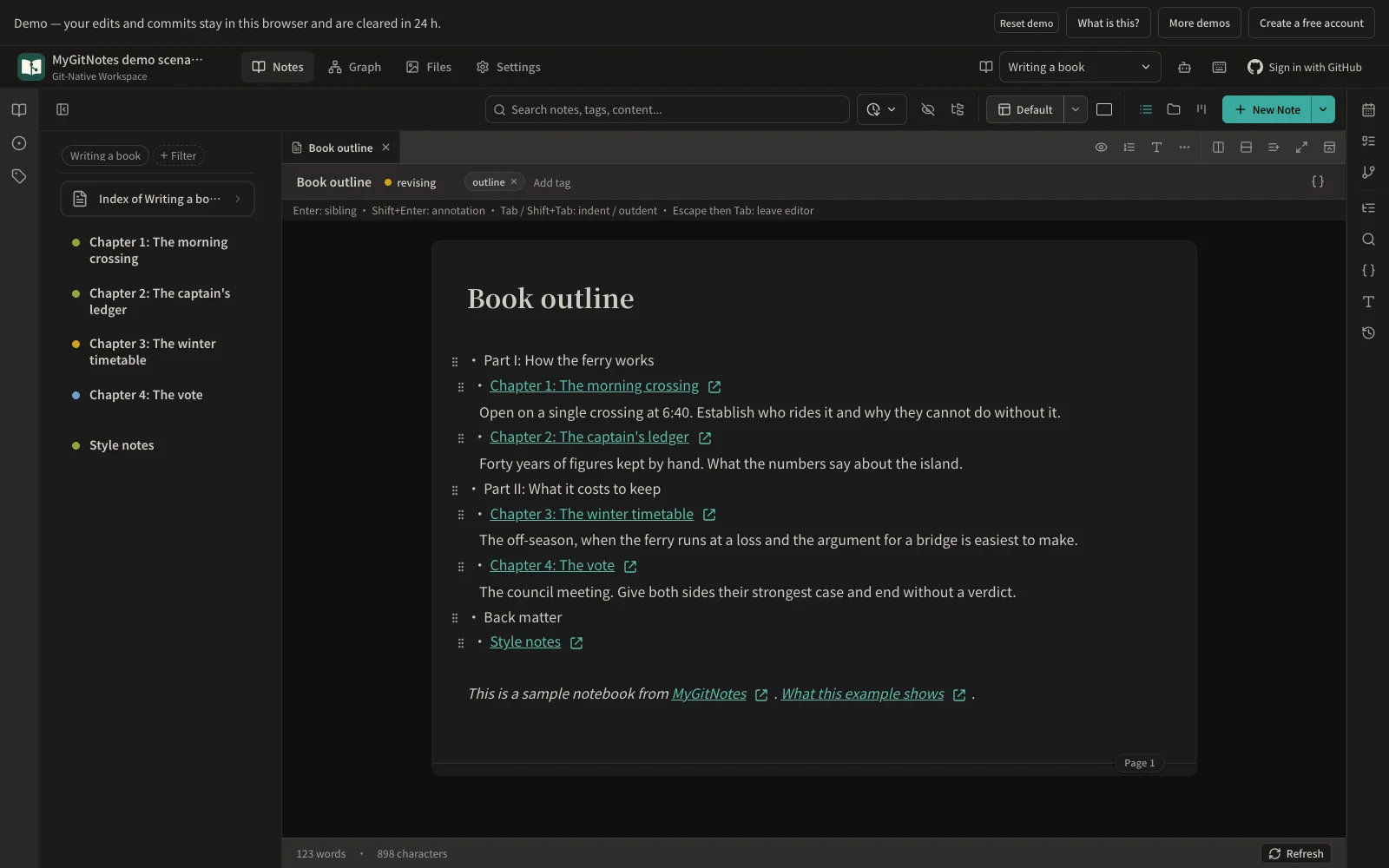
Tie the chapters together in an outline, write each chapter as its own note, and read them in order with a contents list. Every chapter has a status, so you can see what is still an idea and what is final.
No sign-in needed. Changes you make in the example stay in your browser and are cleared after 24 hours.

Try it in the example
Read it as a book
The compilation shows the chapters in order, as one long scroll or one chapter at a time.
Work from the outline
Each chapter is a link with a note on what it must do. Press Tab to nest an item, or drag a chapter to reorder.
Follow the status
Chapters move from idea to drafting to revising to final. Change one from its status dot.
Open the example and try it
No sign-in needed. Changes you make in the example stay in your browser and are cleared after 24 hours.
More use cases

Tabletop RPG
Lay out your session prep like a table, and track clues on a board.

Contract review
Keep every draft, compare any two, and see why each clause changed.

Daily journal
Daily notes with dated tasks, and a weekly review you read as one page.

Study
Lecture notes with maths, flashcards and a map of the ideas.

Reading notes
Quotations with translations, a bibliography and linked arguments.

Product spec
A spec on a board, with diagrams and an AI assistant.

Teaching
A lesson laid out as slides, with its plan and worksheet beside it.

Design project
A design project from brief to handoff, with feedback pinned on the image.

Portfolio
Case studies, a picture series and an about page, ready to publish.
Project management
A release plan with owners, milestones, a Gantt chart and a risk register.